Why the Right Tool Matters for Material Participation
IRS Publication 925 allows participation to be established by reasonable means and does not universally require contemporaneous daily logs. Keep specific descriptions, dates, time spent, and supporting records so your tax professional can evaluate the activity.
Useful features to consider include:
- Record when each entry was created, separately from the activity date you type, so the timing of the record is part of the record
- Use activity categories that describe the work performed
- Track both your hours and service provider hours (for the Test 3 individual comparison)
- Store corroborating evidence (photos, receipts) alongside log entries
- Generate an organized export that a CPA can review and present in an audit
A dedicated tracker can reduce setup and keep supporting records together. A general tracker or spreadsheet can also work with a consistent process. No format guarantees that a claim will be accepted.
For a detailed breakdown of which activities qualify for your log, read: What Activities Count Toward Material Participation Hours? 50+ Examples.
Feature Comparison: What to Verify
| Feature | DeductFlow Pro $24/mo |
REPSLog ~$12/mo |
STR Hours ~$9/mo |
HourProof ~$10/mo |
Clockify Free / $10+ |
Google Sheets Free |
|---|---|---|---|---|---|---|
| iOS App | PWA (mobile web) | Available | Check vendor | Available | Check vendor | Manual setup |
| Android App | PWA (mobile web) | Available | Check vendor | Available | Check vendor | Manual setup |
| Web Dashboard | ✓ | Available | Check vendor | Available | Check vendor | Available |
| 100-hr / 500-hr Test Tracking | ✓ | Check vendor | Check vendor | Check vendor | Check vendor | Manual setup |
| Contractor / Cleaner Hour Tracking | ✓ | Check vendor | Check vendor | Check vendor | Check vendor | Manual setup |
| Photo / Receipt Evidence Attachment | ✓ | Supported | Check vendor | Check vendor | Check vendor | Manual setup |
| Audit-Ready PDF Export | ✓ | PDF, Excel, CSV | Check vendor | Check vendor | Check vendor | Format and export |
| Expense Tracking | ✓ | Check vendor | Check vendor | Check vendor | Check vendor | Manual setup |
| Mileage Tracking | ✓ | Check vendor | Check vendor | Check vendor | Check vendor | Manual setup |
| Cost Seg Integration | ✓ | Check vendor | Check vendor | Check vendor | Check vendor | Manual setup |
| Multi-Property Support | ✓ | By property | Check vendor | Check vendor | Check vendor | Manual setup |
DeductFlow features shown are for paid Pro. “Check vendor” means this comparison does not verify that feature; it does not mean the feature is absent. Confirm current plans and try the export workflow before choosing.
Individual Tool Reviews
7 days. No credit card. Desktop or phone browser. Reports, exports, and Mobile Companion require paid Pro.
1. DeductFlow Pro — $24/month
Best for: STR investors who want one platform for all tax documentation — hours, expenses, mileage, and cost segregation.
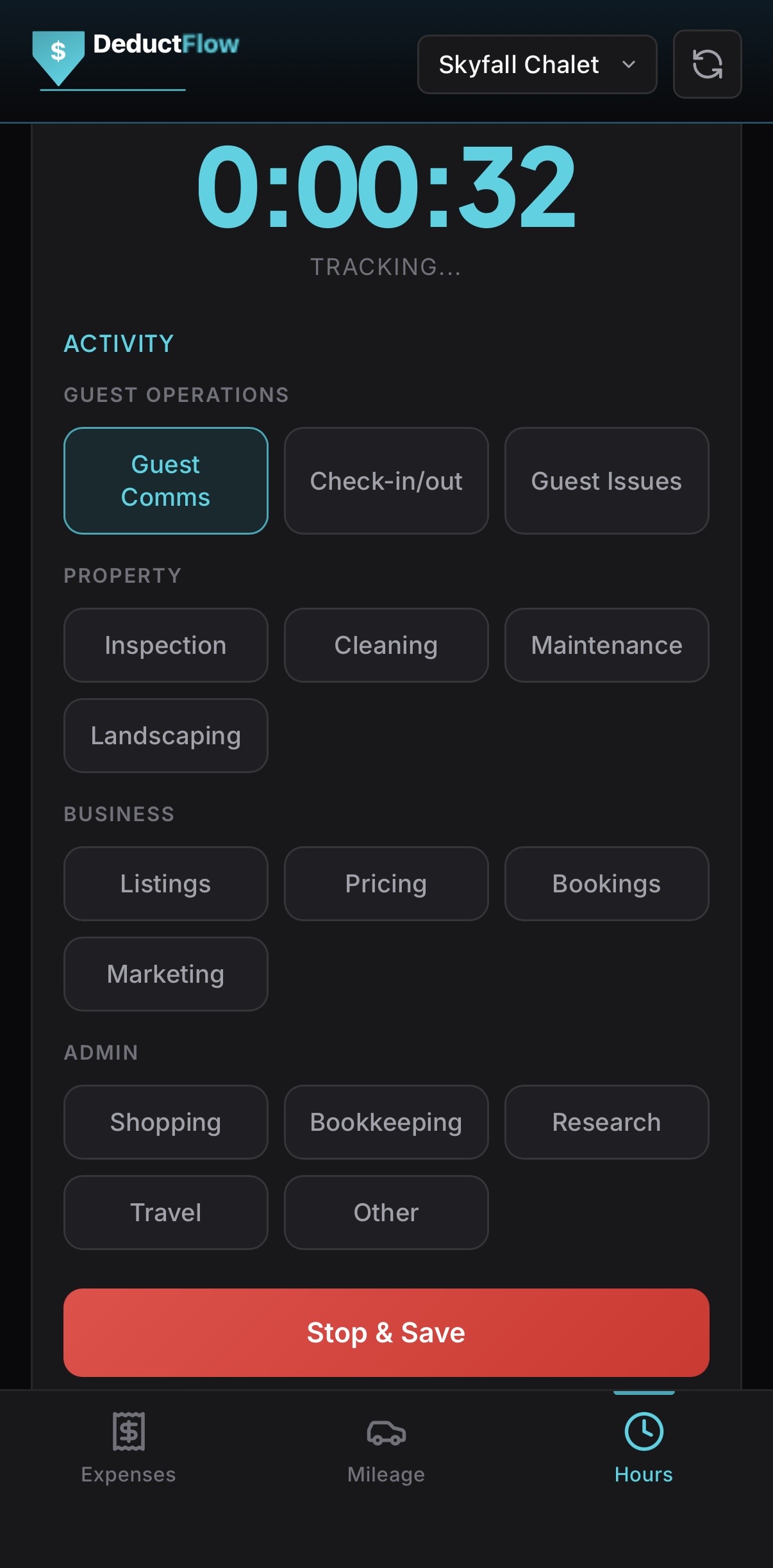
DeductFlow Pro combines hours, expenses, mileage, and cost segregation records. The active hours tracker keeps activity details, participant hours, and supporting photos together, with CPA-ready exports on paid Pro.
Where DeductFlow differentiates: it integrates hours with expense tracking, mileage logging, and cost segregation in a single platform. For an investor pursuing the material participation strategy, this means all the documentation components — participation, deductible expenses, travel, and depreciation — live in one place rather than spread across three or four separate tools. Your CPA gets a single comprehensive report instead of assembling records from multiple sources.
The mobile app is optimized for real-time logging: tap a category, start the timer, add a note, attach a photo, stop. Each entry keeps the activity date you enter and a separate record of when it was created, which survives edits. Cloud sync keeps saved records available across devices. The platform is designed specifically around the IRS's material participation framework, not adapted from a generic time tracking use case.
Limitations: If you only need hour logging, compare a dedicated tracker with your existing expense and mileage workflow. Try expense, active-hours, and mileage tracking with unlimited properties for 7 days on desktop or in your phone browser, with no credit card. Reports, exports, and the separate Mobile Companion require paid Pro and are not included in the trial. Pro is $149/year or $24/month.
- ✓ Full STR tax suite (hours + expenses + mileage + cost seg)
- ✓ Real-time mobile logging with a creation stamp on every entry
- ✓ STR-specific activity categories
- ✓ Service provider hour tracking
- ✓ Photo and receipt attachment per entry
- ✓ CPA-ready PDF export
- ✓ Multi-property support
2. REPSLog — ~$12/month
Consider for: Dedicated participation logs alongside your existing financial records.
REPSLog documents STR and long-term rental hour exports with property, participant, activity, and date details. Its CPA-ready export documentation describes PDF, Excel, and CSV files, optional timestamps, and supporting attachments on iOS, Android, and web. Review sample output with your CPA and check current plans directly.
3. STR Hours — ~$9/month
Consider for: An hour-tracking workflow to evaluate alongside the other tools here.
We have not verified its current feature set for this update. Before choosing it, confirm platform availability, participant comparisons, attachments, export formats, and current pricing with the vendor. Check a sample log with your tax professional.
4. HourProof — ~$10/month
Consider for: Material participation and REPS hour logging.
HourProof publicly advertises web, iOS, and Android access, activity logging, evidence attachments, participation progress, and CPA-ready exports. Review its current workflow, sample exports, and plan limits before choosing.
5. Clockify — Free / $10+ per month for teams
Consider for: A general time-tracking workflow you can configure for rental activities.
Review how projects, activity descriptions, participant records, and exports fit your recordkeeping needs. A general time tracker does not automatically establish tax eligibility, and neither does a dedicated STR app. Confirm current features and plans with the vendor and review sample records with your CPA.
6. Google Sheets — Free
Consider for: Hosts who prefer a flexible spreadsheet and can maintain a consistent recordkeeping process.
Google Sheets has version history for reviewing changes and restoring earlier versions. Access, retained versions, and cell edit-history limitations matter; version history is not independent proof that the logged activity occurred.
A sheet can organize dates, tasks, durations, participants, properties, and links to supporting files. You design the template and review totals and exports. Ask your tax professional whether your records are sufficiently detailed for your circumstances. No tool guarantees an audit result.
7. Paper Log
Consider for: Hosts who can keep clear written records consistently.
Publication 925 permits reasonable means of establishing participation. A paper log can record dates, activities, durations, and participants. Keep supporting documents and copies so the records remain available. The format alone does not determine eligibility or the outcome of an examination.
Who Should Use What: Decision Guide by Investor Type
Not every investor has the same needs. Here's an honest breakdown by situation.
Single property, simple setup, brand new to tracking
Consider: A simple spreadsheet or dedicated hour tracker. Check the fields and sample exports with your tax professional, then choose the process you can keep up throughout the year.
Multiple properties + pursuing material participation strategy seriously + want CPA-ready reports
Consider: DeductFlow Pro to keep hours, expenses, mileage, and cost segregation records across properties together. Paid-Pro reports can help organize those records for CPA review.
Already using QuickBooks or Stessa for expenses + just need dedicated hour tracking
Consider: REPSLog as a supplement to your existing expense system. If your expense documentation is already handled and your CPA is comfortable with your current setup, adding REPSLog for hours creates a purpose-built participation layer without requiring you to migrate your entire workflow. Just be aware you'll need to manually correlate two systems at year-end.
Portfolio investor pursuing full material participation strategy + cost segregation strategy
Consider: DeductFlow Pro for participation and depreciation records in one workspace. Your tax professional evaluates material participation, depreciation treatment, and other loss limitations.
Tech-savvy investor with budget constraints + comfort building custom workflows
Consider: A general tracker or spreadsheet with clear property, activity, participant, and supporting-record fields. Review the setup and exported records with your CPA.
Pricing Comparison
| Tool | Monthly | Annual (billed annually) | Notes |
|---|---|---|---|
| DeductFlow Pro | $24/mo | $149/yr (~$12.42/mo) | Try expense, active-hours, and mileage tracking with unlimited properties for 7 days on desktop or in your phone browser, with no credit card. Reports, exports, and the separate Mobile Companion require paid Pro and are not included in the trial. Pro is $149/year or $24/month. |
| REPSLog | ~$12/mo | ~$99/yr (~$8.25/mo) | Pricing may vary; check reps-log.com for current rates |
| STR Hours | ~$9/mo | ~$79/yr (~$6.58/mo) | Entry-level STR hour tracker |
| HourProof | ~$10/mo | ~$89/yr (~$7.42/mo) | Participation and REPS hour tracking |
| Clockify | Free / $10+ | Free / $96+/yr | Free tier sufficient for solo users; Pro adds team features |
| Google Sheets | Free | Free | Flexible records; maintain history and supporting files |
Competitor pricing is approximate and subject to change. Verify current pricing on each vendor's website.
The Verdict: Which Tool Wins?
For hours and financial records together: DeductFlow Pro. Keep participation logs, expenses, mileage, and cost segregation records in one workspace, with reports and exports on paid Pro. Choose it if that combined workflow fits your needs.
For dedicated hour tracking: consider REPSLog or HourProof. Review their current features and sample exports, then decide how the logs fit with your financial records and your CPA's process.
General trackers and spreadsheets can also support recordkeeping. Build a consistent process for recording activities and keeping supporting evidence. Software choice alone does not settle eligibility or audit outcomes.
For more context on what goes into that log regardless of which tool you use, read our guides:
- What Activities Count Toward Material Participation Hours? 50+ Examples
- How to Keep a Contemporaneous Log the IRS Will Accept
- Material Participation for STR Investors: Complete Guide
- The 100-Hour Material Participation Rule Explained
Frequently Asked Questions
What features should a material participation hour tracker have?
Look for activity dates, descriptions, durations, participants, property labels, supporting files, entry history, and usable exports. Evaluate a sample with your CPA. No software feature establishes eligibility or guarantees an audit result.
Can I use a spreadsheet to track material participation hours?
Yes. IRS Publication 925 permits reasonable means of establishing participation and does not universally require contemporaneous daily logs. Google Sheets has version history for reviewing changes and restoring earlier versions. Maintain detailed activity records and supporting evidence; version history alone does not prove the work occurred.
Is REPSLog a good option for STR hour tracking?
REPSLog documents exports for both short-term and long-term rental hours, with PDF, Excel, and CSV files, optional timestamps, and supporting attachments. Evaluate the current workflow and plans with your CPA alongside your financial records.
Can a general time tracker support material participation records?
A general time tracker can support a rental activity log when its fields and exports capture the details your tax professional needs. Review property labels, activity descriptions, durations, participants, and supporting records. A dedicated app may reduce setup, but neither approach guarantees an audit outcome.
What is the best tracker for a host with multiple STR properties?
DeductFlow Pro is an option for keeping hours, expenses, mileage, and cost segregation records across properties together, with paid-Pro reports and exports. Compare that combined workflow with dedicated hour trackers and spreadsheets using sample records your CPA can review.
How does the 100-hour test work with these trackers?
IRS Publication 925 lists Test 3 as more than 100 hours of participation during the tax year and at least as much participation as any other individual, including nonowners. A tracker can organize the records for that comparison; it does not establish eligibility. Ask your tax professional about your facts and other applicable limitations.
Do I need to track contractor hours even in a purpose-built app?
If relying on Test 3, the comparison is with every other individual, including cleaners, contractors, and property managers. Keep records supporting their hours as well as your own, such as invoices with time details. Test 3 requires more than 100 hours and at least as much participation as any other individual; an app cannot verify those facts for you.
Is the material participation strategy worth the documentation effort?
Detailed records help your tax professional evaluate material participation and any potential loss treatment. The benefit depends on the activity and other tax limitations. Logging hours or buying software does not itself make losses deductible against other income.