DeductFlow vs Stessa: Which Is Better for Short-Term Rental Hosts?
7 days. No credit card. Desktop or phone browser. Reports, exports, and Mobile Companion require paid Pro.
Compare the recordkeeping workflow. DeductFlow brings expenses, mileage, active hours, and cost segregation records together, with reports and exports on paid Pro. Stessa documents bank feeds, STR transaction imports, per-property financials, and Schedule E reporting. Rental real estate generally uses Schedule E. Substantial services primarily for guests' convenience can require Schedule C. Average stay length affects a separate passive-activity analysis and does not alone choose the reporting form. Ask your tax professional which rules apply to your circumstances.
Tax Forms and Passive Activity Are Separate Questions
Software should help organize records for the return your tax professional prepares. A rental reported on Schedule E is not automatically passive, and a short average stay does not automatically require Schedule C.
Schedule E generally reports rental real estate income and expenses. This can include short-term rentals. The reporting form and passive-activity treatment are separate determinations.
Schedule C can be required when substantial services are provided primarily for guests' convenience. The Schedule E instructions use maid service as an example and distinguish ordinary services such as heat, light, and trash collection. Stay length alone does not select the form.
Ask your tax professional to evaluate the services provided, passive-activity rules, and your circumstances. Keep the records needed for that review.
Sources: IRS Topic 414, Schedule E instructions, and Publication 925. Stessa documents short-term rental workflows and Schedule E report mapping.
Feature-by-Feature Comparison
| Feature | DeductFlow | Stessa |
|---|---|---|
| Tax reporting workflow | Records for CPA review; not tax filing | Schedule E report mapping |
| Built for | STR hosts (Airbnb/VRBO) | Rental investors, including STR owners |
| Free tier | ✓ Expense tracking + P&L dashboard | ✓ Unlimited properties + bank feeds |
| Paid plan | $24/mo or $149/yr | ~$35/mo |
| Expense categories | IRS-aligned expense categories | Rental categories, including STR categories |
| Receipt scanning | ✓ auto-categorization | ✓ Document storage |
| Mileage tracking | ✓ With IRS rate calculation | Mileage expense category; verify trip-log workflow |
| Active hours (100-hr rule) | ✓ With time log exports | Check current workflow |
| Cost segregation tracking | ✓ | Check current workflow |
| Automated bank feeds | — | ✓ |
| Multi-property support | ✓ (Pro) | ✓ (Free) |
| CPA-ready PDF exports | Paid-Pro reports and exports | ✓ Basic reports |
| Depreciation schedules | ✓ | Check current workflow |
Reasons to Consider Stessa
7 days. No credit card. Desktop or phone browser. Reports, exports, and Mobile Companion require paid Pro.
To be straightforward: Stessa is the better tool in several scenarios.
Automated bank feeds. Stessa connects directly to your bank accounts and automatically imports transactions. You categorize them and everything flows into your reports. DeductFlow does not currently offer bank feed integration — you enter expenses manually or scan receipts. If automated transaction import is your top priority and you file Schedule E, Stessa handles this well.
Rental portfolios, including STRs. Stessa documents Airbnb CSV imports, short-term rental categories, bank connections, and per-property financials. Review those workflows against the records you need.
Documented workflows. Stessa's help center explains transaction imports, categories, and Schedule E report mapping. Use those sources and sample reports to evaluate fit.
Reasons to Consider DeductFlow
DeductFlow is an option for hosts who want activity records and financial records in one workspace. Evaluate the features you use throughout the year and the output your CPA needs.
Organized expenses. DeductFlow groups records by expense category and property for review. Your CPA determines the reporting form, deductible amounts, and any reclassification needed.
Mileage tracking. DeductFlow records trip dates, distances, purposes, and properties, with route-distance and IRS-rate calculations. Stessa documents a mileage expense category; confirm its current trip-log workflow directly. Ask your tax professional which travel qualifies, including any commuting restrictions.
Material participation hours. DeductFlow keeps activity descriptions, dates, durations, participants, and property records, with paid-Pro exports. Publication 925 lists Test 3 as more than 100 hours and at least as much participation as any other individual. An hours total does not establish eligibility or decide the reporting form.
Cost segregation tracking. Keep study documents and depreciation records alongside other property records. Your tax professional evaluates depreciation treatment and applicable loss limitations.
Receipt scanning with auto-categorization. Capture receipts and review the suggested expense category. Software organizes the record; your CPA determines its tax treatment.
Price and trial. Try expense, active-hours, and mileage tracking with unlimited properties for 7 days on desktop or in your phone browser, with no credit card. Reports, exports, and the separate Mobile Companion require paid Pro and are not included in the trial. Pro is $149/year or $24/month. The Free plan supports one property with limited expense and mileage tracking. Check Stessa's current pricing and plan limits directly.
Who Should Use Stessa
- You want financial tracking for rental properties, including STRs
- You want Schedule E report mapping for CPA review
- You want automated bank feed integration above all else
- You manage a large portfolio of buy-and-hold rental investments
- You have checked how its current features fit your recordkeeping needs
Who Should Use DeductFlow
- You host on Airbnb, VRBO, or similar platforms and want connected rental records
- You want expense categories and supporting records your CPA can review
- You want to track mileage to and from your property
- You want to log material participation hours for the 100-hour rule
- You want paid-Pro reports and exports for CPA review
- You are using or considering a cost segregation study
- You want a low-cost, purpose-built tool without paying $35/month
- You want receipt photo capture that auto-categorizes to IRS expense categories by vendor
Can You Use Both?
Yes. A host could use Stessa for financial transactions and DeductFlow for activity and supporting records. If using both, reconcile duplicates and agree with your CPA on the source of each figure. The choice of software does not choose the tax schedule.
Frequently Asked Questions
Is Stessa or DeductFlow better for Airbnb hosts?
Compare the workflow you need. DeductFlow combines expenses, mileage, active hours, and cost segregation records, with reports and exports on paid Pro. Stessa documents bank feeds, Airbnb CSV imports, STR categories, and Schedule E reporting. Neither product choice determines your tax treatment.
Does Stessa support Schedule C for short-term rentals?
Stessa documents Schedule E report mapping and STR recordkeeping workflows. Confirm any Schedule C reporting needs directly with Stessa and your tax professional. Rental real estate generally uses Schedule E. Substantial services primarily for guests' convenience can require Schedule C. Average stay length affects a separate passive-activity analysis and does not alone choose the reporting form. Ask your tax professional which rules apply to your circumstances.
Can I use Stessa for my Airbnb property?
Yes. Stessa documents Airbnb CSV imports, short-term rental categories, and bank connections for STR owners. Review its reports with your tax professional. Rental real estate generally uses Schedule E. Substantial services primarily for guests' convenience can require Schedule C. Average stay length affects a separate passive-activity analysis and does not alone choose the reporting form. Ask your tax professional which rules apply to your circumstances.
Is Stessa really free?
Stessa offers free and paid plans; confirm current limits with Stessa. DeductFlow has a Free plan with one property and limited expense and mileage tracking. Try expense, active-hours, and mileage tracking with unlimited properties for 7 days on desktop or in your phone browser, with no credit card. Reports, exports, and the separate Mobile Companion require paid Pro and are not included in the trial. Pro is $149/year or $24/month.
The Verdict
Choose based on the records you need and the workflow you can maintain. DeductFlow combines financial and activity records; Stessa documents rental financial workflows for both long-term and short-term rentals.
Review sample reports with your CPA and try the relevant workflows. Your tax professional determines the reporting form and tax treatment. For other options, see our STR tax tracking tools comparison.
Ready to track your STR deductions?
Try expense, active-hours, and mileage tracking with unlimited properties for 7 days on desktop or in your phone browser, with no credit card. Reports, exports, and the separate Mobile Companion require paid Pro and are not included in the trial. Pro is $149/year or $24/month.
Start FreeRelated Reading
Disclaimer: DeductFlow is a record-keeping tool, not tax advice. This guide is for informational purposes only. Consult a qualified CPA or tax professional before making tax-related decisions. Tax-form guidance and cited Stessa workflows reviewed October 10, 2026. Confirm current third-party plans and features directly.
7 days. No credit card. Desktop or phone browser. Reports, exports, and Mobile Companion require paid Pro.
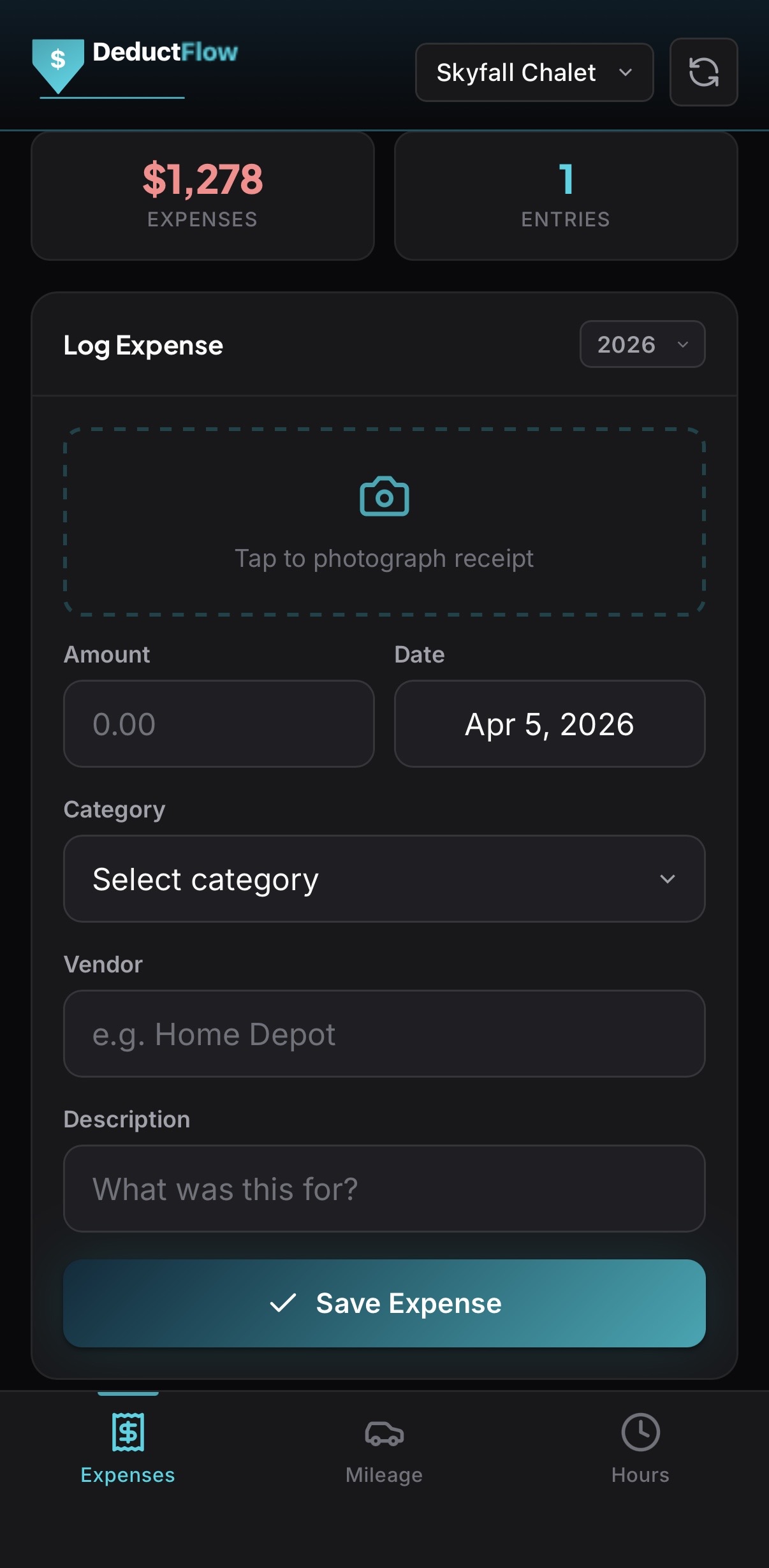
See the STR-first difference.
DeductFlow brings hours, mileage, expenses, and supporting records together for CPA review. Stessa also supports STR financial workflows. Compare the records and reports each provides for your needs.
Free to start · Pro is $24/month or $149/year · Comparing tools? Start with the Airbnb tax software guide.