The miles you drove. The reason you went.
DeductFlow is a rental property mileage tracker that keeps the date, distance, business purpose, vehicle, and property with each trip. Enter miles manually or use address-based distance calculation.
Try expense, active-hours, and mileage tracking with unlimited properties for 7 days on desktop or in your phone browser, with no credit card. Reports, exports, and the separate Mobile Companion require paid Pro and are not included in the trial. Pro is $149/year or $24/month.
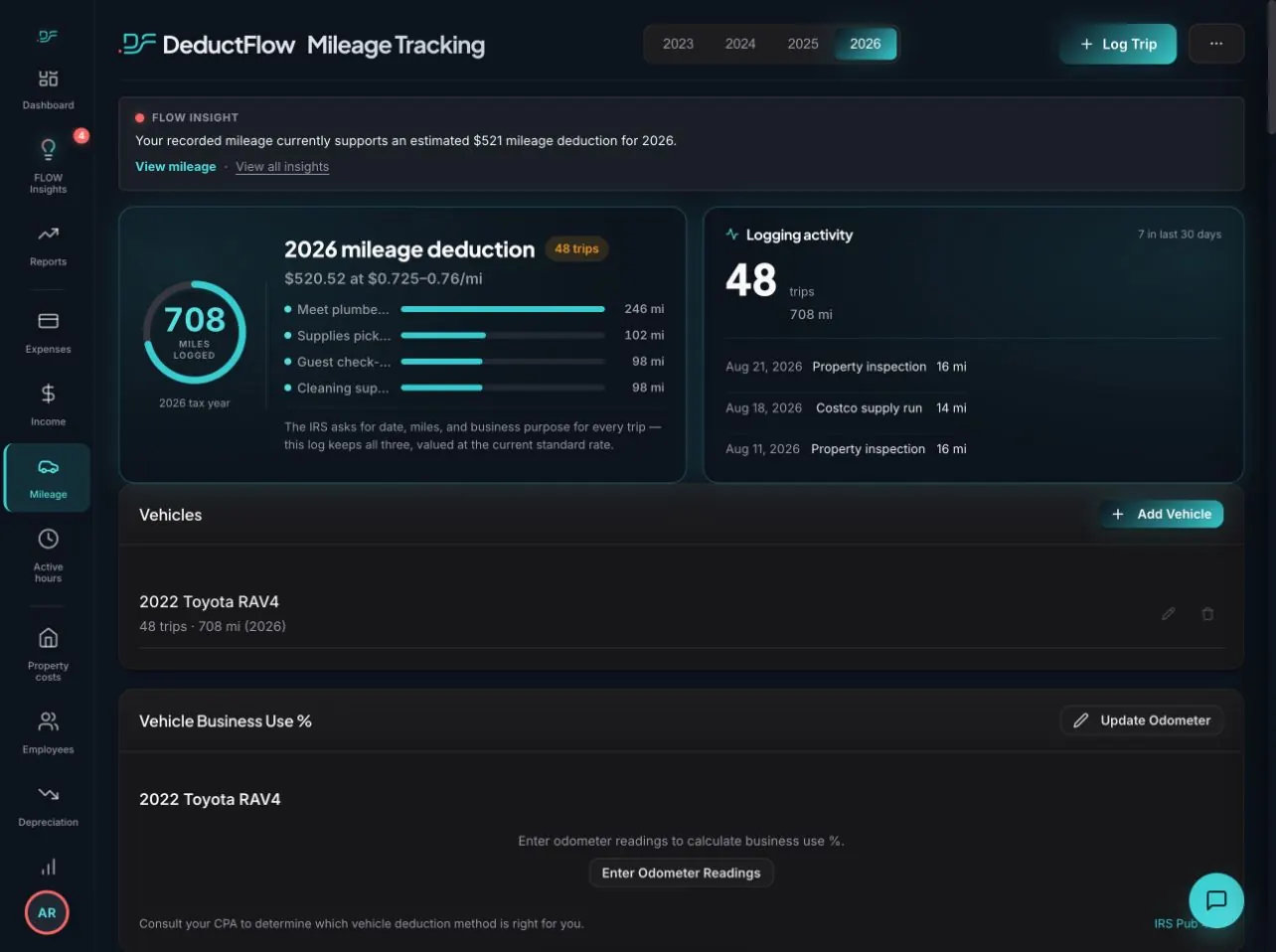
Record the detail. Use it throughout the year.
- Enter the trip date, locations, and distance.
- Describe why you drove and choose the relevant property.
- Keep vehicle and annual odometer context with your records.
- Review trip details and annual totals before paid-Pro export.
Why it matters.
Keep the details behind rental travel together so you and your tax professional can review which trips qualify. Route calculation does not decide deductibility.
IRS Publication 463 explains the underlying recordkeeping or participation principles. Software supports your process; it does not replace professional judgment.
Mileage recordkeeping guide →Keep the rest of your rental connected.
Expenses, mileage, hours, income, and property records belong in the same conversation. See the broader product or compare the workflow with your spreadsheet.
Questions, answered.
Does DeductFlow automatically track trips with GPS?
No. DeductFlow does not continuously record trips with background GPS. You enter trip details, select or type locations, calculate route distance, or enter mileage manually.
Can I use the tracker from my phone during the trial?
Yes. Use the main web app in your phone browser during the seven-day trial. Reports, exports, and the separate Mobile Companion require paid Pro and are not included in the trial.
Is every trip to my rental deductible?
No. A rental connection alone does not settle the treatment of a trip. Keep the purpose and supporting context, and ask your tax professional to evaluate your situation.
What is included in the trial?
Try expense, active-hours, and mileage tracking with unlimited properties for 7 days on desktop or in your phone browser, with no credit card. Reports, exports, and the separate Mobile Companion require paid Pro and are not included in the trial. Pro is $149/year or $24/month.
Prove it.
Start with your next receipt, hour, or mile.
Try expense, active-hours, and mileage tracking with unlimited properties for 7 days on desktop or in your phone browser, with no credit card. Reports, exports, and the separate Mobile Companion require paid Pro and are not included in the trial. Pro is $149/year or $24/month.
Start your free trialDeductFlow organizes records. It does not determine tax eligibility or guarantee deductions. Your tax professional reviews your circumstances.