Best Tax Software for Airbnb Hosts 2026: 6 Tools Compared
7 days. No credit card. Desktop or phone browser. Reports, exports, and Mobile Companion require paid Pro.
Compare tools by the records you need throughout the year: expenses, mileage, active hours, and depreciation. Rental real estate generally uses Schedule E. Substantial services primarily for guests' convenience can require Schedule C. Average stay length affects a separate passive-activity analysis and does not alone choose the reporting form. Ask your tax professional which rules apply to your circumstances. This guide compares DeductFlow, Stessa, QuickBooks, Baselane, TurboTax, and spreadsheets for different workflows.
What STR Hosts Need From Their Records
STR hosts may need income and expense records, trip details, participation logs, and depreciation records. The relevant records depend on your activity and tax professional's advice. Software helps organize them; it does not choose a tax form or establish eligibility.
Here is how 6 popular options stack up for Airbnb and VRBO hosts in 2026.
Best Vacation Rental Software With Integrated Payment and Tax Tools 2025-2026
If you also need booking management and payment processing, compare those workflows separately from tax recordkeeping. Review what each platform exports and how your CPA will use the records.
A property-management platform and a dedicated Airbnb recordkeeping tool may complement each other. Check for overlapping records and agree on a reconciliation process with your CPA.
Sources: IRS Topic 414, Schedule E instructions, and Publication 925. Stessa documents short-term rental workflows and Schedule E report mapping.
The 6 Tools at a Glance
| Feature | DeductFlow | Stessa | QuickBooks | Baselane | TurboTax | Spreadsheets |
|---|---|---|---|---|---|---|
| IRS expense categories | ✓ | Rental and STR categories | Manual setup | Check vendor | At filing only | Manual |
| Mileage tracking | ✓ | Mileage expense category; verify trip-log workflow | ✓ | Check vendor | Check vendor | Manual |
| Receipt scanning | ✓ Auto-categorize | ✓ | ✓ | Check vendor | Check vendor | — |
| CPA-ready export | Paid Pro | ✓ | ✓ | ✓ | N/A | Manual |
| Material participation hours | ✓ | Check current workflow | Check vendor | Check vendor | Check vendor | Manual |
| Cost segregation tracking | ✓ | Check current workflow | Check vendor | Check vendor | Check vendor | Manual |
| Multi-property | ✓ (Pro) | ✓ | ✓ | ✓ | N/A | Manual |
| Bank feeds | — | ✓ | ✓ | ✓ | Check vendor | — |
| Tax filing | — | Check vendor | Check vendor | Check vendor | ✓ | — |
| Pricing | Free / $24/mo or $149/yr | Free / ~$35/mo | $30+/mo | Free / $1/unit/mo | ~$129 + state | Free |
“Check vendor” means the feature is not verified in this comparison, not that it is absent.
*Try expense, active-hours, and mileage tracking with unlimited properties for 7 days on desktop or in your phone browser, with no credit card. Reports, exports, and the separate Mobile Companion require paid Pro and are not included in the trial. Pro is $149/year or $24/month.
1. DeductFlow — For Connected STR Records
7 days. No credit card. Desktop or phone browser. Reports, exports, and Mobile Companion require paid Pro.
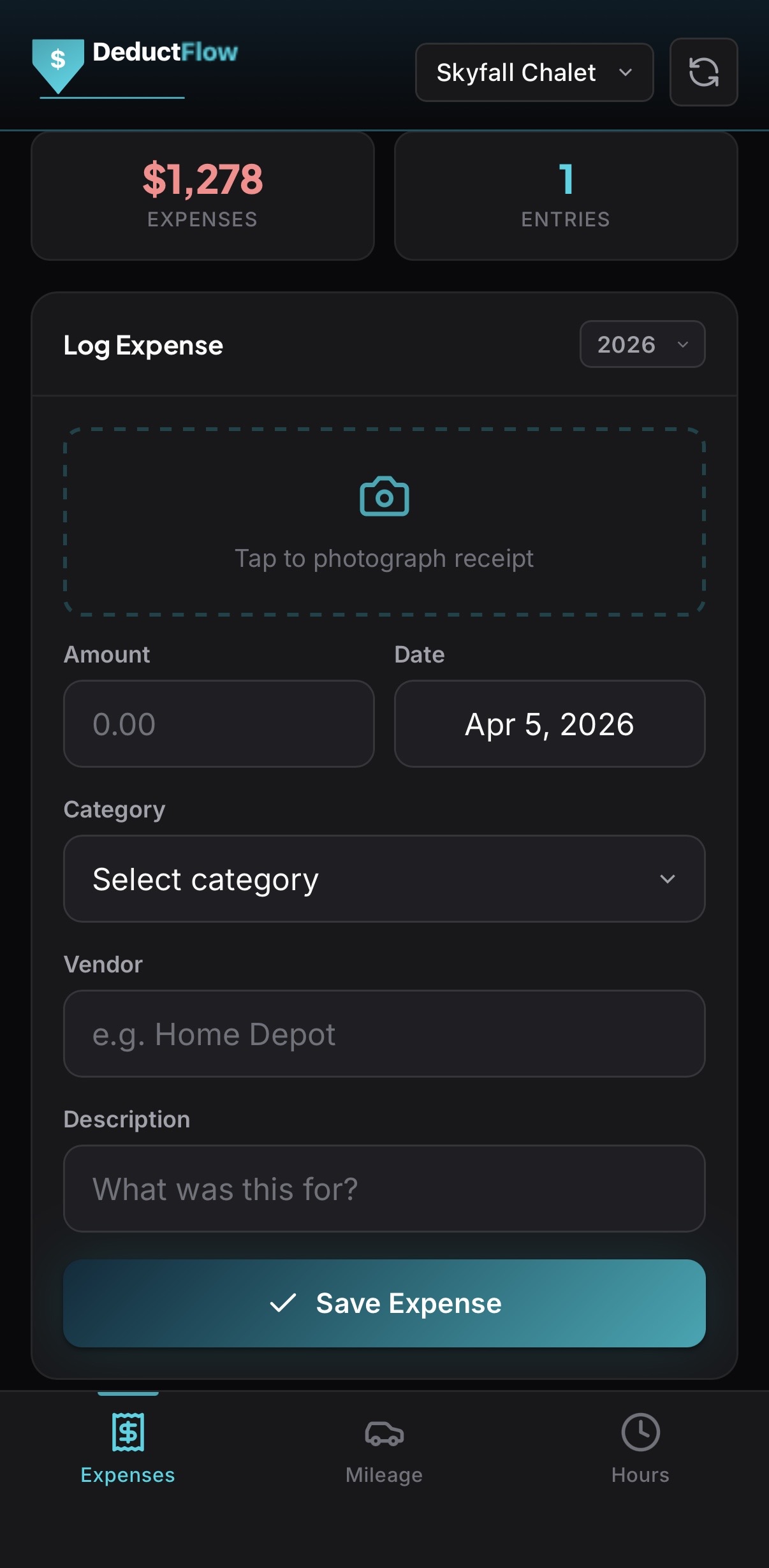
DeductFlow combines rental expenses, mileage, active hours, and cost segregation records in one workspace. Its categories help organize records for CPA review; paid Pro adds reports, exports, and the separate Mobile Companion. Your tax professional decides which records and tax treatment apply.
Best for: Airbnb/VRBO hosts filing taxes who want year-round tax tracking with mileage, active hours, and CPA-ready exports.
Pricing: Free plan with one property and limited expense and mileage tracking. Try expense, active-hours, and mileage tracking with unlimited properties for 7 days on desktop or in your phone browser, with no credit card. Reports, exports, and the separate Mobile Companion require paid Pro and are not included in the trial. Pro is $149/year or $24/month.
Pros: Rental expense categories, mileage tracking with IRS rate, material participation hours with exportable logs, cost segregation tracking, receipt scanning with auto-categorization, depreciation schedules, CPA-ready exports (CPA Package PDF + CSV), affordable annual pricing.
Cons: No automated bank feeds (manual entry or receipt scanning), newer platform with a smaller user community than established tools, no tax filing (you still need TurboTax or a CPA to file).
2. Stessa — For Rental Financial Tracking
Stessa documents short-term rental workflows, including Airbnb CSV imports, STR categories, bank connections, and per-property financial tracking. It also documents Schedule E report mapping. Evaluate those workflows against your needs and confirm other current features directly.
Best for: Rental investors, including STR owners, who prioritize bank feeds and per-property financial records.
Pricing: Free tier (unlimited properties + bank feeds). Pro: ~$35/month.
Pros: Automated bank feed integration, established platform with large community, unlimited properties on free tier, per-property P&L reports.
Evaluate: Check the current workflow for detailed trip logs, participation records, and depreciation against your needs. See our DeductFlow vs Stessa comparison.
3. QuickBooks Self-Employed — Most Powerful (and Most Complex)
QuickBooks is the 800-pound gorilla of small business accounting. QuickBooks Self-Employed includes mileage tracking, receipt scanning, and bank feed integration. As a general accounting platform, it may require category and report setup for your rental workflow. Confirm current participation and depreciation features directly.
Best for: Hosts who run multiple businesses and need full double-entry accounting, or who already use QuickBooks for another business.
Pricing: Starts around $30/month for Self-Employed. Full QuickBooks Online plans start higher.
Pros: Robust accounting engine, bank feeds, mileage tracking, receipt scanning, large ecosystem of CPA integrations, invoicing.
Evaluate: Review category setup, participation records, depreciation workflows, and plan costs. See our DeductFlow vs QuickBooks comparison.
4. Baselane — Best for Landlord Banking
Baselane is a banking and bookkeeping platform designed for landlords. It provides FDIC-insured bank accounts, automated rent collection, and transaction categorization for Schedule E filers. If you are a long-term landlord who wants your banking and bookkeeping in one place, Baselane is compelling. STR owners should review its current categories and reports against their recordkeeping needs.
Best for: Long-term rental landlords who want integrated banking and rent collection with bookkeeping.
Pricing: Free banking. Bookkeeping: $1/unit/month.
Pros: Integrated landlord banking, automated rent collection, low per-unit bookkeeping cost, Schedule E alignment.
Evaluate: Confirm the current trip logging, participation, and depreciation workflows before deciding how it fits your records.
5. TurboTax Self-Employed — Best for Filing (Not Tracking)
TurboTax is used to prepare and file tax returns, including Schedule E or Schedule C where applicable. Compare its current filing and record-import options with your year-round tracking needs. DeductFlow organizes records for review and does not file the return.
Best for: Filing your tax return after you have already tracked everything in another tool.
Pricing: Self-Employed: ~$129 + state filing fees.
Pros: Guided tax filing experience, handles tax filing, integrates with some tracking tools, widely used and understood by CPAs.
Evaluate: Decide how you will keep records during the year and transfer them into the filing process. See our DeductFlow vs TurboTax comparison.
6. Spreadsheets — A Flexible Manual Workflow
A Google Sheet or Excel workbook can organize income, expenses, mileage, and hours, with formulas and exports configured for your workflow. Google Sheets has version history. Maintain detailed records and supporting files, and review the setup with your CPA. Neither a spreadsheet nor dedicated software guarantees an audit result.
Best for: Hosts with one property, very few expenses, and a high tolerance for manual data entry.
Pricing: Free.
Pros: No cost, complete flexibility, no learning curve for basic tracking.
Tradeoff: You maintain the template, formulas, file links, and reports. See our spreadsheet comparison for practical considerations.
Which Tool Should You Choose?
The answer depends on two questions: which tax schedule do you file and what do you need the tool to do?
- STR host who wants connected financial and activity records: Consider DeductFlow.
- Rental owner who wants bank feeds: Evaluate Stessa or Baselane.
- Multi-business owner who needs full accounting: QuickBooks, with categories reviewed by your tax professional.
- Ready to file your return: TurboTax Self-Employed (pair it with a year-round tracking tool).
- Just starting out with one property and minimal expenses: A spreadsheet works temporarily, but plan to upgrade before your second tax season.
For most Airbnb and VRBO hosts filing taxes, the best combination is a purpose-built tracking tool used year-round plus TurboTax or a CPA at filing time. Track throughout the year so tax season is just an export, not a scramble. See our CPA tax prep checklist and 2026 STR tax deductions checklist for what to have ready.
Ready to track your STR deductions?
Try expense, active-hours, and mileage tracking with unlimited properties for 7 days on desktop or in your phone browser, with no credit card. Reports, exports, and the separate Mobile Companion require paid Pro and are not included in the trial. Pro is $149/year or $24/month.
Start FreeRelated Reading
Disclaimer: DeductFlow is a record-keeping tool, not tax advice. This guide is for informational purposes only. Consult a qualified CPA or tax professional before making tax-related decisions. Tax-form guidance and cited Stessa workflows reviewed October 10, 2026. Third-party prices are earlier estimates; confirm current plans and features directly.
7 days. No credit card. Desktop or phone browser. Reports, exports, and Mobile Companion require paid Pro.
Filing software works better with a year of clean records.
TurboTax and H&R Block see one week of your year. DeductFlow is the other 51 — expenses, mileage, and participation hours organized so the filing step becomes data entry instead of archaeology.
Free to start · Pro is $24/month or $149/year · Comparing tools? Start with the Airbnb tax software guide.
Frequently Asked Questions
What is the best software for automating tax reporting for vacation rentals?
Choose based on your recordkeeping and filing needs. DeductFlow brings expenses, mileage, active hours, and depreciation records together, with reports and exports on paid Pro. Stessa documents STR financial workflows, while other accounting and filing tools serve different needs. Review sample output with your tax professional.
Do vacation rental hosts need special tax software?
Rental real estate generally uses Schedule E. Substantial services primarily for guests' convenience can require Schedule C. Average stay length affects a separate passive-activity analysis and does not alone choose the reporting form. Ask your tax professional which rules apply to your circumstances. A dedicated tracker can help organize rental records, but it is not required to choose or file the correct form.
Can I automate my Airbnb tax reporting?
Software can help categorize expenses, calculate mileage amounts from trip records, and organize depreciation records. DeductFlow reports and exports require paid Pro. Review entries and tax treatment with your tax professional; you still need a tax preparer or filing software to prepare and file the return.
What should vacation rental tax software track?
Useful records include income and expenses by property, trip dates and purposes, activity descriptions and durations, supporting files, and depreciation information. A tax professional can advise which records are relevant. Recording hours alone does not establish material participation or make losses deductible. DeductFlow organizes these records; its reports and exports require paid Pro.